



A store owner recently contacted us after moving nearly 18,000 products into WooCommerce over a weekend. By Monday morning, product images were missing, variant pricing was mismatched, and hundreds of URLs had changed without redirects.
The migration itself wasn't the problem.
The catalog structure was.
Uploading 20 products manually is straightforward. Migrating thousands of SKUs with categories, filters, variations, SEO data, inventory rules, and marketplace formatting is where most ecommerce teams hit operational trouble.
WooCommerce gives businesses flexibility, but product migration requires planning far beyond a simple CSV upload. One broken attribute mapping can create thousands of inaccurate listings.
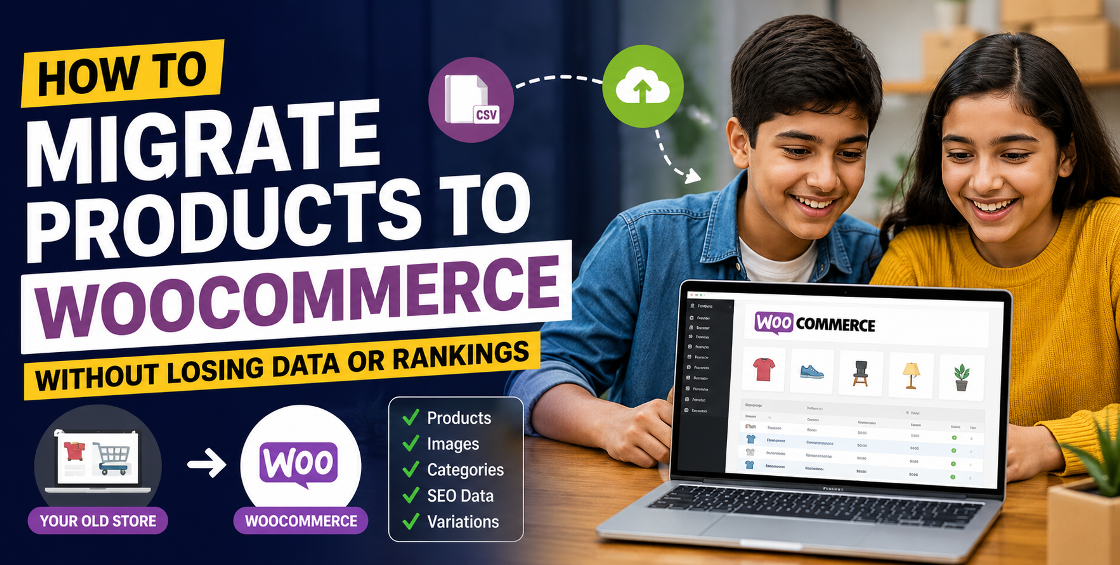
This guide walks through the practical side of migrating products to WooCommerce — including preparation, migration methods, common failures, and ways to avoid catalog cleanup disasters afterward.
Why Businesses Move to WooCommerce
Most migrations happen for one of these reasons:
- Marketplace sellers want more control
- SaaS platform costs keep increasing
- Custom catalog requirements outgrow hosted platforms
- Teams need flexible integrations
- International selling requires localized workflows
- Inventory sync across channels becomes difficult
WooCommerce works especially well for businesses managing:
- Large product catalogs
- Variable products
- Custom product attributes
- B2B pricing structures
- Multi-language stores
- Marketplace integrations
But flexibility also means migrations require cleaner backend data.
If the source catalog already contains duplicate SKUs, inconsistent categories, or poor attribute naming, WooCommerce simply exposes those issues faster.
Before Migrating: Audit the Product Catalog First
This is the step many businesses skip.
And it's usually the reason migrations fail later.
Before exporting anything, review your existing catalog carefully.
Check for SKU Inconsistencies
A common issue:
- Same product listed under multiple SKUs
- Inconsistent capitalization
- Duplicate identifiers
- Blank SKU fields
WooCommerce relies heavily on structured identifiers. Poor SKU management creates inventory sync problems later.
Review Product Variants
Variant-heavy catalogs often break during migration.
Especially for:
- Fashion stores
- Electronics retailers
- Furniture sellers
- Automotive parts suppliers
Common problems include:
- Orphaned variations
- Missing parent-child relationships
- Incorrect attribute mapping
- Duplicate variation combinations
A retailer selling shoes across Shopify and Amazon once migrated into WooCommerce only to discover size variants had separated into individual products.
Instead of one product page with 12 sizes, they suddenly had 12 standalone products.
Cleaning that manually took days.
Clean Category Structures
Many stores carry years of category clutter.
Examples:
- Men > Shirts
- Men's Shirts
- Mens Wear > Shirts
- Shirts for Men
WooCommerce migrations are smoother when taxonomy structures are simplified beforehand.
This also improves:
- Filtering
- Navigation
- Search functionality
- SEO hierarchy
Best Methods to Migrate Products to WooCommerce
The right migration method depends on catalog size, platform complexity, and technical resources.
Method 1: WooCommerce CSV Import
Best for:
- Small to medium catalogs
- Simple products
- Controlled migrations
WooCommerce includes a built-in CSV importer.
Typical workflow:
- Export products from current platform
- Clean spreadsheet formatting
- Map fields correctly
- Import into WooCommerce
- Validate products manually
Pros
- No plugin dependency
- Cost-effective
- Flexible field editing
Challenges
- Variation handling can become messy
- Image paths may fail
- Custom attributes require careful mapping
- Large imports may timeout
For stores under 2,000 products, CSV migration is usually manageable.
Beyond that, operational complexity increases quickly.
Method 2: Migration Plugins
Popular options include:
- Cart2Cart
- LitExtension
- WP All Import
These tools automate much of the migration process.
They can transfer:
- Products
- Categories
- Customers
- Reviews
- SEO URLs
- Order history
Best For
- Shopify to WooCommerce migration
- Magento to WooCommerce migration
- BigCommerce migrations
- Marketplace-heavy stores
Watch Out For
Automated migration tools still require validation afterward.
We've seen cases where:
- Product descriptions lost formatting
- Image galleries imported incorrectly
- Metadata failed silently
- Duplicate attributes were created
Automation reduces workload but doesn't replace QA.
Method 3: Custom Migration Workflows
Large stores often require custom migration handling.
Especially when dealing with:
- ERP integrations
- Multilingual catalogs
- Supplier feeds
- Marketplace synchronization
- Custom fields
- Subscription products
In these cases, migration usually involves:
- Database mapping
- Staged imports
- Testing environments
- Incremental uploads
- Validation scripts
At India Data Entry Services, we've worked with ecommerce teams handling catalogs large enough that even a small attribute error could affect thousands of listings across multiple marketplaces.
Those migrations require process control more than simple importing.
Product Data You Should Never Forget During Migration
Many ecommerce teams focus only on product titles and pricing.
But missing backend data creates larger problems later.
Product URLs
Changing URLs without redirects can damage organic rankings quickly.
Important elements:
- Slugs
- Category URLs
- Canonical structures
- Redirect mapping
If your existing store ranks well in search results, preserve URL structures wherever possible.
SEO Metadata
Don't forget:
- Meta titles
- Meta descriptions
- Schema markup
- Alt text
- Open Graph tags
These fields often disappear during rushed migrations.
Product Images
Image migration issues are extremely common.
Problems include:
- Broken URLs
- Duplicate files
- Missing galleries
- Poor naming conventions
- Incorrect image associations
One catalog cleanup project involved over 40,000 products where image filenames had no SKU references at all.
Example:
- IMG001.jpg
- finalimage2.jpg
- export-new-final.png
That creates long-term operational headaches.
Inventory Data
Double-check:
- Stock quantities
- Warehouse locations
- Backorder settings
- Supplier codes
- Bundle relationships
Inventory mismatches after migration can lead to overselling within hours.
Common WooCommerce Migration Mistakes
Importing Without a Staging Environment
Never migrate directly into a live store.
A staging site allows teams to:
- Validate imports
- Test filters
- Review product pages
- Verify mobile display
- Catch plugin conflicts
Ignoring Attribute Standardization
Attributes affect:
- Filters
- Search
- Variations
- Marketplace exports
Poor formatting creates frontend confusion.
Bad example:
- Blue
- blue
- Navy Blue
- navy-blue
These become separate filters inside WooCommerce.
Migrating Old Catalog Errors
Migration shouldn't replicate years of catalog clutter.
Use migration as an opportunity to:
- Remove duplicate products
- Archive inactive SKUs
- Standardize descriptions
- Improve taxonomy
- Optimize metadata
Underestimating Manual QA
No migration is fully automated.
Even the best tools require:
- Spot checks
- Sample validation
- Image review
- Frontend testing
- Inventory verification
Large catalogs especially require layered QA processes.
A Practical WooCommerce Migration Workflow
Here's a workflow many ecommerce operations teams follow successfully.
Step 1: Export Existing Catalog
Export:
- Products
- Categories
- Attributes
- Images
- SEO data
- Customer records
Keep backup copies before editing anything.
Step 2: Clean and Normalize Data
This phase usually takes longer than expected.
Tasks include:
- Fixing duplicate SKUs
- Standardizing attributes
- Correcting formatting
- Removing obsolete products
- Validating pricing
Step 3: Test Small Batch Imports
Never start with the full catalog.
Import:
- 20 products
- Then 200
- Then larger batches
This reveals mapping problems early.
Step 4: Validate Frontend Display
Review:
- Mobile responsiveness
- Variation selectors
- Category filters
- Image galleries
- Search behavior
Backend accuracy means little if the storefront breaks visually.
Step 5: Configure Redirects
Preserve rankings with:
- 301 redirects
- Canonical checks
- Sitemap updates
- URL validation
Step 6: Run Post-Migration QA
Review:
- Inventory sync
- Payment workflows
- Shipping logic
- Abandoned cart behavior
- Plugin compatibility
Many problems appear only after live traffic begins.
Should You Handle WooCommerce Migration Internally?
That depends on catalog complexity.
Internal Teams Usually Work Well For:
- Small stores
- Simple product structures
- Limited variations
- Clean source data
External Support Helps When:
- Catalogs exceed thousands of SKUs
- Marketplaces are involved
- Multiple stores must sync
- ERP systems connect inventory
- Attribute logic is complex
- Migration downtime is risky
A migration project isn't only technical.
It's operational.
The larger the catalog, the more product governance matters.
FAQ Section
How do I migrate products to WooCommerce?
You can migrate products using WooCommerce CSV imports, migration plugins, or custom migration workflows depending on catalog size and complexity.
Can I migrate products from Shopify to WooCommerce?
Yes. Tools like Cart2Cart, LitExtension, and WP All Import can transfer products, categories, images, and customer data from Shopify to WooCommerce.
Will migrating to WooCommerce affect SEO?
It can if URLs, metadata, and redirects are not handled correctly. Maintaining URL structures and implementing 301 redirects helps preserve rankings.
What is the best way to migrate large product catalogs?
Large catalogs usually require staged imports, attribute normalization, testing environments, and extensive QA validation.